

Understanding RainPoint WiFi Technology
In an age where technology is reshaping every aspect of our lives, gardening is no exception. The rainpoint wifi system introduces a new level of convenience and efficiency to lawn and garden care. This article dives deep into the mechanics of RainPoint WiFi technology, its benefits for modern gardening, and how it can transform the way you maintain your green spaces.
What is RainPoint WiFi?
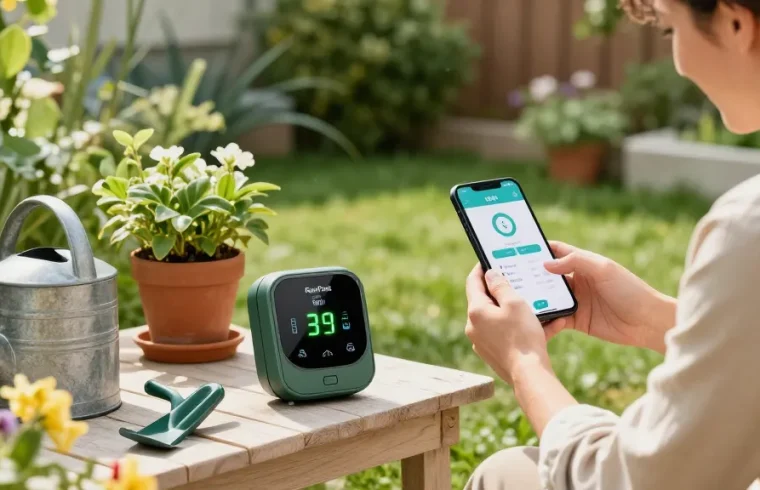
RainPoint WiFi is an advanced smart irrigation system that allows gardeners to monitor and control their watering schedules remotely. By connecting to a home WiFi network, users can access an intuitive app, which provides real-time data on soil moisture levels, weather forecasts, and water usage. This integration is designed to empower users with more control over their irrigation practices, ensuring their plants receive precisely the water they need, while minimizing waste.
Benefits of Smart Irrigation Systems
- Water Conservation: Smart irrigation systems like RainPoint help save water by adjusting schedules based on current weather conditions and soil moisture levels, preventing overwatering.
- Time Efficiency: With automatic scheduling and monitoring, gardeners can spend less time managing their irrigation systems and more time enjoying their gardens.
- Improved Plant Health: By delivering the right amount of water at the right times, these systems promote stronger, healthier plants, leading to flourishing gardens.
- Cost Savings: Reduced water usage directly translates to lower utility bills, making smart irrigation a financially wise choice in the long run.
How RainPoint Works with Your Garden
Integrating RainPoint into your garden setup begins with the installation of the WiFi water timer and appropriate soil sensors. Gardeners can customize their watering schedules based on the needs of specific plants or areas, ensuring each receives optimal care. The system can be configured to respond to changing weather patterns, adjusting watering intensity and frequency as required. This adaptive functionality is particularly beneficial for larger gardens or diverse plant types that have varying water requirements.
Setting Up Your RainPoint WiFi Timer
Initial Setup and Installation Tips
Starting with RainPoint is straightforward. First, you’ll need to unpack your RainPoint WiFi timer, ensuring all components are included. Follow the manufacturer’s instructions for physical installation, which typically involves connecting the timer to an outdoor faucet and positioning it at a convenient location for signal reception. It’s crucial to check that the timer is secure and that hoses are attached properly to prevent any water leaks.
Connecting the Timer to WiFi and the App
Once physically set up, the next step is establishing a connection to your home WiFi network. Open the RainPoint app, which guides you step-by-step through the connection process. Users should ensure they have a stable WiFi signal in the area of their garden to avoid connectivity issues. If you encounter any problems, resetting the timer and trying again often resolves the issue.
Adjusting Settings for Optimal Watering
With the timer synced to your WiFi and the app configured, it’s time to adjust your watering settings. Educating yourself about the specific water requirements for the plants in your garden is essential. The app allows you to customize schedules based on factors such as plant type, seasonal changes, and weather conditions. Utilizing the moisture level sensor can further enhance watering efficiency by preventing water from being dispensed when the soil is already adequately moist.
Maximizing Water Efficiency with RainPoint
Water Conservation Techniques
In the quest for sustainable gardening, employing effective water conservation techniques alongside your RainPoint system is vital. Consider the following tips:
- Mulching: Adding a layer of mulch around plants helps retain soil moisture and reduces evaporation.
- Timing: Watering during the early morning or late evening minimizes water loss due to evaporation.
- Smart Scheduling: Set the RainPoint timer to adjust automatically based on expected rainfall and soil moisture data.
Understanding Soil Moisture Levels
Understanding how to gauge soil moisture is crucial for optimal irrigation. RainPoint’s system includes soil sensors that provide real-time data, allowing you to make informed watering decisions. This information can prevent both overwatering, which can lead to root rot, and underwatering, which stresses plants.
Tips for Reducing Water Waste
To further enhance water efficiency, consider these strategies:
- Regularly check the system for leaks or blockages, which can lead to unnecessary water loss.
- Utilize rainwater harvesting systems in conjunction with RainPoint to take advantage of free water during rainy periods.
- Adjust your system for maximum coverage, ensuring water reaches all areas of your garden effectively.
Common Challenges and Solutions
Troubleshooting Connectivity Issues
Connectivity issues can be a common challenge when using smart irrigation systems. If you experience problems connecting your RainPoint timer to your WiFi, try relocating your router closer to the device or using a WiFi extender to enhance the signal.
Managing User Experience with the App
Many users report a learning curve when first using the RainPoint app. To improve your experience, take the time to explore all features, such as setting up customized alerts for moisture levels and scheduled watering. Regularly updating the app can also enhance functionality and reliability.
Adapting for Seasonal Changes in your Garden
As seasons change, so do the watering needs of plants. Utilizing RainPoint’s customizable settings allows you to adapt your irrigation schedule to match seasonal variations. In winter, for example, many plants require significantly less water, while summer months might necessitate more frequent watering sessions.
Future Trends in Smart Irrigation for 2026
The Evolution of Smart Gardening Technology
The landscape of smart gardening technology is rapidly evolving. Innovations such as AI-driven irrigation systems and more sophisticated sensors for monitoring environmental conditions are on the horizon. These advancements promise to make gardening even more efficient and responsive to real-time conditions.
Predictions for Sustainable Gardening Practices
As sustainability becomes increasingly critical in gardening practices, we can expect a rise in products and methodologies that promote eco-friendliness. Smart irrigation tools like RainPoint will likely lead the charge in promoting water conservation and efficient resource management in outdoor spaces.
Embracing Innovations in Water Management
Future innovations may include enhanced integration with home automation systems, allowing gardeners to manage their irrigation alongside other household systems. Furthermore, data analytics and user-friendly interfaces will make it easier for users to optimize their watering strategies over time.
What are the advantages of using RainPoint WiFi?
The main advantages of using RainPoint WiFi revolve around its efficiency, convenience, and ability to conserve water. By automating the watering process and providing real-time data, users can maintain healthy gardens while minimizing waste.
How do I connect my RainPoint timer to the app?
Connecting your RainPoint timer to the app is a straightforward process involving WiFi setup and following the on-screen instructions within the RainPoint app. Make sure your WiFi connection is stable for the best results.
Can I monitor multiple zones with RainPoint WiFi?
Yes, RainPoint WiFi systems are designed to manage multiple zones, allowing for customized watering schedules tailored to the needs of different plant types and areas within your garden.
What maintenance is required for RainPoint products?
Maintaining your RainPoint products involves regularly checking for leaks, ensuring soil sensors are functioning correctly, and keeping the app updated to benefit from the latest features and performance enhancements.
Are there any customer support resources available?
Yes, RainPoint offers a variety of customer support resources, including comprehensive user manuals, FAQs, and a dedicated customer service team ready to assist with installation, operation, and troubleshooting.